Difference between revisions of "Standard Factory"
From StarMade Wiki
| Line 6: | Line 6: | ||
{{production/Standard_Factory}} | {{production/Standard_Factory}} | ||
| + | [[Category:Factory]] [[Category:Element]] | ||
| + | ==Usage== | ||
| + | {| class="wikitable" | ||
| + | !height="30px"|<big>Primary Module</big>|| <big>Inventory Module</big> | ||
| + | |- | ||
| + | !style="text-align:center;"| [[Factory Enhancer]] ||style="text-align:center;"| [[Cargo Space]] | ||
| + | |- | ||
| + | |- | ||
| + | |style="text-align:center;"|[[File:Factory Enhancer.png|link=Factory Enhancer| 150px|Increases production amount by 1]] ||style="text-align:center;"|[[File:Cargo Space.png|link=Cargo Space| 150px|Increases inventory space by 100 units]] | ||
| + | |- | ||
| + | !colspan="2" width="200px" height="30px"|<big>System Properties</big> | ||
| + | |- | ||
| + | !colspan="2"|Base Inventory Volume | ||
| + | |- | ||
| + | |colspan="2" style="text-align:center;" height="40px"| ''100 Units'' | ||
| + | |- | ||
| + | !colspan="2"|Production/Pull Tick Speed<br/><span style="color: grey"><small>(In Seconds)</small></span> | ||
| + | |- | ||
| + | |style="text-align:center;"| No Recipe Selected||style="text-align:center;"|''10<span style="color: grey">.0</span>'' | ||
| + | |- | ||
| + | |style="text-align:center;" | Recipe Selected||style="text-align:center;"|''5<span style="color: grey">.0</span>'' | ||
| + | |- | ||
| + | !colspan="2" style="text-align:center;" height="40px"| Power Consumption<br/><span style="color: grey"><small>(Per Production Tick, While Turned On)</small></span> | ||
| + | |- | ||
| + | |style="text-align:center;" height="40px"| Base Consumption||style="text-align:center;" | ''500<span style="color: grey">.0</span>'' | ||
| + | |- | ||
| + | |style="text-align:center;" | Per [[Factory Enhancer]] ||style="text-align:center;" | ''+500<span style="color: grey">.0</span>'' | ||
| + | |} | ||
| + | TBA | ||
| + | ===Crafting Recipes=== | ||
| + | TBA | ||
| + | ==Related== | ||
| + | {{Manufacturing Navigator}} | ||
[[Category:Factory]] [[Category:Element]] | [[Category:Factory]] [[Category:Element]] | ||
Revision as of 05:17, 2 January 2018
 |
This page is currently a stub. Please help us out by expanding it. |
| Standard Factory | |
|---|---|
 | |
| Hit Points | 100 |
| Reactor Hit Points | 0 |
| Mass | 0.10 |
| Luminosity | none |
| Data Value (ID) | 217 |
Manufactures standard blocks from a variety of resources. Press R to Open/Close the Factory's Internal Inventory. (Used for placing the necessary materials for recipes). By connecting the standard factory to a Storage Block, The factory will automatically pull resources needed from it. Factories cannot be placed on ships, but can be placed on planets, asteroids, and Space Stations. However, they do require a power output to become functional.
Contents
Production
| Production Info | |||||
|---|---|---|---|---|---|
| Produced in a | Basic Factory |  |
|||
| Requires | To create | ||||
| Alloyed Metal Mesh | x20 |
 |
Standard Factory | x1 |
|
| Crystal Composite | x20 |
 |
|||
Usage
| Primary Module | Inventory Module |
|---|---|
| Factory Enhancer | Cargo Space |
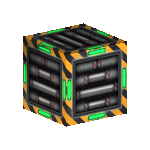 |
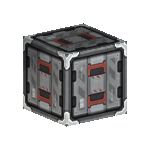
|
| System Properties | |
| Base Inventory Volume | |
| 100 Units | |
| Production/Pull Tick Speed (In Seconds) | |
| No Recipe Selected | 10.0 |
| Recipe Selected | 5.0 |
| Power Consumption (Per Production Tick, While Turned On) | |
| Base Consumption | 500.0 |
| Per Factory Enhancer | +500.0 |
TBA
Crafting Recipes
TBA
Related
| Factory | |
|---|---|
Advanced Factory • Basic Factory • Basic Factory • Capsule Refinery • Capsule Refinery • Factory Enhancer • Factory Enhancer • Micro Assembler • Micro Assembler • Standard Factory • Standard Factory
| |
| Manufacturing | |
| Basic | Alloyed Metal Mesh • Crystal Composite • Crystal Composite • Scrap Alloy • Scrap Alloy • Scrap Composite • Scrap Composite
|
| Paint | Black Paint • Blue Paint • Blue Paint • Brown Paint • Brown Paint • Green Paint • Green Paint • Orange Paint • Orange Paint • Purple Paint • Purple Paint • Red Paint • Red Paint • White Paint • White Paint • Yellow Paint • Yellow Paint
|
| Hardeners | Advanced Hardener • Standard Hardener • Standard Hardener
|