Difference between revisions of "Missile Tube"
(Auto-updated via MediawikiExport.java) |
(Auto-updated via MediawikiExport.java) |
||
| Line 6: | Line 6: | ||
|dv=32 | |dv=32 | ||
}} | }} | ||
| + | |||
| + | |||
| Line 39: | Line 41: | ||
{{Weapon Navigator}} | {{Weapon Navigator}} | ||
| + | |||
[[Category:Weapons]] | [[Category:Weapons]] | ||
[[Category:Weapons]] | [[Category:Weapons]] | ||
Revision as of 21:21, 1 September 2025
| Missile Tube | |
|---|---|
 | |
| Hit Points | 100 |
| Armor | - |
| Luminosity | no |
| Data Value (ID) | 32 |
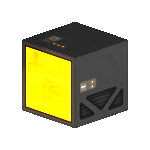
Missile Tubes are the output modules for Missile systems. Connecting at least one to its associated computer will activate the system. Place them alone to create a new firing array or with an existing group to enhance its power.
Contents
Item Description
The Missile Tube, when used in conjunction with a Missile Computer, can create a basic but effective weapons system. The Missile fires a dumb missile in a straight line. Missiles do benefit from being grouped together (being adjacent to one another), increasing their damage. You can also choose which block outputs the projectile by finding the Missile Tube you want to output the missile, and pressing R on it.
Production
| Production Info | |||||
|---|---|---|---|---|---|
| Produced in a | Standard Factory |  |
|||
| Requires | To create | ||||
| Threns Capsule | x100 |
 |
Missile Tube | x1 |
|
| Crystal Composite | x100 |
 |
|||
Usage
| Primary Computer |
|---|
| Missile Computer |
|
| Connection Method |
| Select computer withC and connect with V |
This is a module type block and is designed to be connected to its associated computer. Modules are often used to create new arrays or enhance existing arrays by adding to the raw block count of the group. To connect simply place the block down on any entity and select its computer with C and press V on it. This will immediately activate the module allowing the desired system to utilize it or gain from its addition. The orientation of module block does not effect the firing direction of the system. The firing direction of a system is determined by the orientation of its main computer.
Players should take into account that every module that is added to a system also increases the energy usage of that system. Both combat and support systems give a unique power multiplier penalty for each new non contiguous array. While Effects only increase their power requirements with each block connected.


