Difference between revisions of "EM Effect"
(added header, module box, and weapons navigator) |
(Auto-updated via MediawikiExport.java) |
||
| (4 intermediate revisions by 2 users not shown) | |||
| Line 1: | Line 1: | ||
| − | + | {{infobox block | |
| − | {{infobox block | + | |type=EM Effect |
| + | |hp=100 | ||
| + | |armor=- | ||
| + | |light=no | ||
| + | |dv=350 | ||
| + | }} | ||
| + | |||
| + | |||
| + | |||
| + | |||
| + | |||
| + | |||
'''{{PAGENAME}}s''' are the enhancer type modules for Electromagnetic damage enhancing systems. Connect these modules to a [[EM Effect Computer]] connected to a weapon system to increase the EM damage output of that weapon. | '''{{PAGENAME}}s''' are the enhancer type modules for Electromagnetic damage enhancing systems. Connect these modules to a [[EM Effect Computer]] connected to a weapon system to increase the EM damage output of that weapon. | ||
==Item Description== | ==Item Description== | ||
| Line 14: | Line 25: | ||
|- | |- | ||
|style="text-align:center;"|[[File:EM Effect Computer.png|link=EM Effect Computer| 150px]] | |style="text-align:center;"|[[File:EM Effect Computer.png|link=EM Effect Computer| 150px]] | ||
| + | |- | ||
| + | !Connection Method | ||
| + | |- | ||
| + | |style="text-align:center;"|<small>Select computer with{{k|select module}}<br/> and connect with {{K|cancel ship movement}}</small> | ||
|} | |} | ||
| − | + | This is a module type block and is designed to be connected to its associated computer. Modules are often used to create new arrays or enhance existing arrays by adding to the raw block count of the group. To connect simply place the block down on any entity and select its computer with {{K|select module}} and press {{K|connect module}} on it. This will immediately activate the module allowing the desired system to utilize it or gain from its addition. The orientation of module block does not effect the firing direction of the system. | |
| + | |||
| + | Players should take into account that every module that is added to a system also increases the energy usage of that system. Both [[Weapons|combat]] and [[Support Tool Systems|support]] systems give a unique power multiplier penalty for each new non contiguous array. While [[Effects]] only increase their power requirements with each block connected. | ||
==Related== | ==Related== | ||
{{Weapon Navigator}} | {{Weapon Navigator}} | ||
| − | [[Category:Effect]] [[Category: | + | |
| + | |||
| + | [[Category:Effect]] | ||
| + | [[Category:Effect]] | ||
Latest revision as of 21:33, 1 September 2025
| EM Effect | |
|---|---|
 | |
| Hit Points | 100 |
| Armor | - |
| Luminosity | no |
| Data Value (ID) | 350 |
EM Effects are the enhancer type modules for Electromagnetic damage enhancing systems. Connect these modules to a EM Effect Computer connected to a weapon system to increase the EM damage output of that weapon.
Contents
Item Description
Increases EM damage of a linked weapon.
Production
| Production Info | |||||
|---|---|---|---|---|---|
| Produced in a | Standard Factory |  |
|||
| Requires | To create | ||||
| Threns Capsule | x250 |
 |
EM Effect | x1 |
|
| Fertikeen Capsule | x250 |
 |
|||
Usage
| Primary Computer |
|---|
| EM Effect Computer |
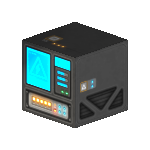
|
| Connection Method |
| Select computer withC and connect with V |
This is a module type block and is designed to be connected to its associated computer. Modules are often used to create new arrays or enhance existing arrays by adding to the raw block count of the group. To connect simply place the block down on any entity and select its computer with C and press V on it. This will immediately activate the module allowing the desired system to utilize it or gain from its addition. The orientation of module block does not effect the firing direction of the system.
Players should take into account that every module that is added to a system also increases the energy usage of that system. Both combat and support systems give a unique power multiplier penalty for each new non contiguous array. While Effects only increase their power requirements with each block connected.


